Appearance
Where do I turn that on?
A lookup table for the question people ask most. Everything in the left column is Owner-only unless noted.
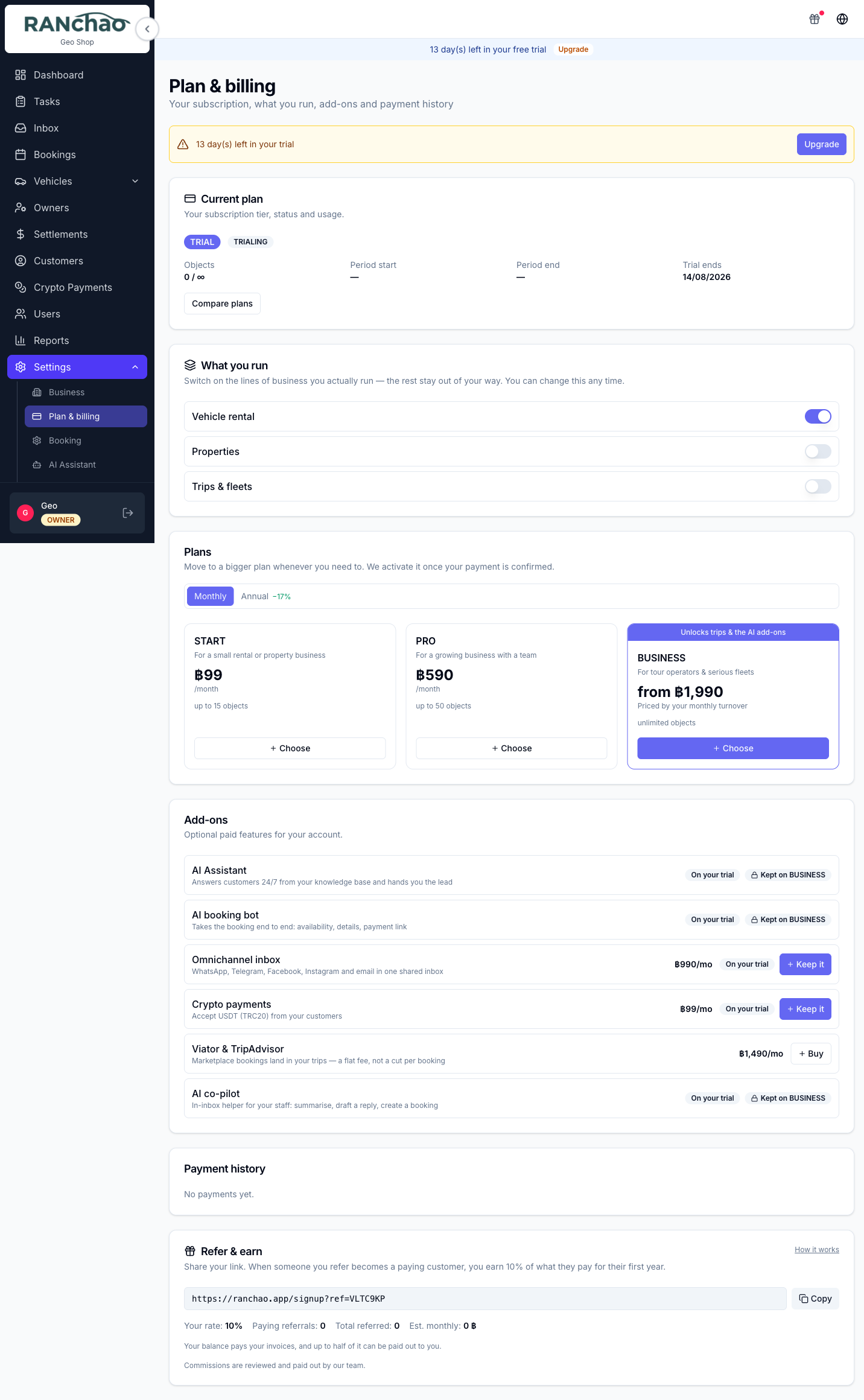
Capabilities you buy
Settings → Plan & billing → Add-ons. Find the add-on and press Buy, then pay. Something you already own gets an on/off switch instead. On a trial the button says Keep it.
| I want to… | Buy | ฿/month |
|---|---|---|
| Read WhatsApp, Telegram, Facebook, Instagram and email in one place | Omnichannel inbox | 990 |
| Have a bot answer customer questions | AI Assistant | 590 |
| Have the bot also quote and take orders | AI booking bot | 790 |
| Give my staff commands while they handle a chat | AI co-pilot | 890 |
| Accept USDT | Crypto payments | 99 |
| Sell my trips on Viator | Viator & TripAdvisor | 1,490 |
The three AI add-ons need the Business plan to buy.
Outreach campaigns (฿490) and Lead-gen monitor (฿990) are not in this list. Ask us and we switch them on. Both send from your own messaging accounts, so they start with a conversation about pacing rather than a checkout.
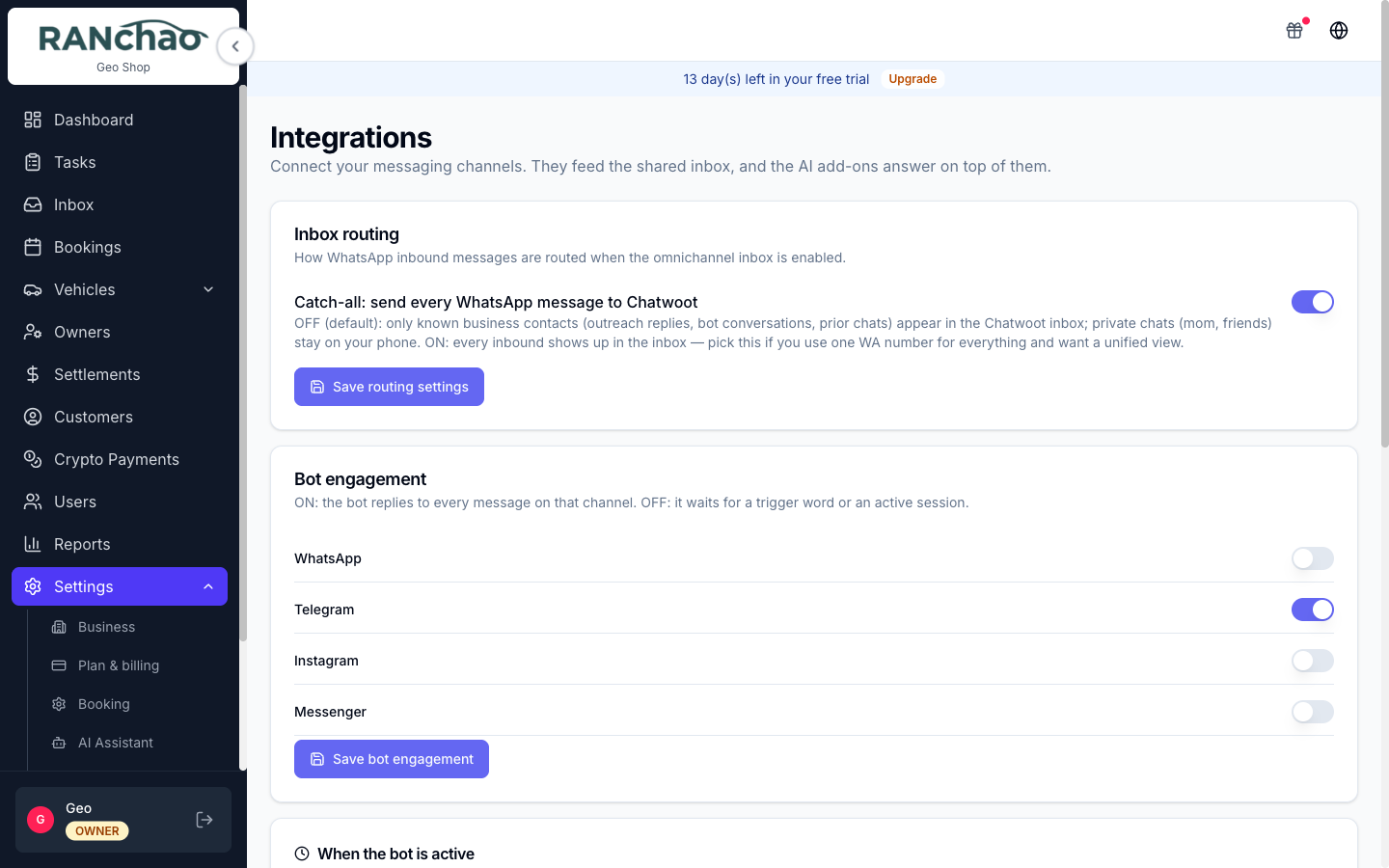
The AI add-ons do nothing without the Omnichannel inbox. The assistant, the booking bot and the co-pilot all live inside the inbox. If it is off, they are off. The Integrations page shows an amber notice about this.
On a free trial, the inbox, both AI tiers, the co-pilot and crypto are switched on for you. Outreach, lead-gen and Viator are not.
Verticals
Settings → Plan & billing → What you run. Switch vehicle rental, property rental or trips on and off. Trips needs the Business plan; the others are on every plan. They are not exclusive.
Settings, section by section
| I want to change… | Go to |
|---|---|
| Shop name, contact email and phone, address, currency | Settings → Business |
| Plan, add-ons, verticals, referral balance | Settings → Plan & billing |
| Default agent commission | Settings → Booking |
| PromptPay, bank transfer, USDT, card gateway | Settings → Payments |
| Connect WhatsApp / Telegram / email / Facebook / Instagram | Settings → Integrations |
| Bot working hours, bot on/off per channel | Settings → Integrations |
| Bot persona, goal, knowledge base | Settings → AI Assistant |
| Turn the online store on, subdomain, template, colours | Settings → E-Shop |
| The checklists on auto-created tasks, and which tasks are created at all | Settings → Task checklists |
| Destinations, boats and vans, crew | Settings → Fleet & Destinations (trips) |
| Trip products, prices, passenger types, guest form | Settings → Trips & pricing (trips) |
Specific questions
"Where do I type AI co-pilot commands?" Inside a conversation in the Inbox, in the private note tab, the internal note area your customer cannot see. There is no command box anywhere in the rest of the app. The commands are /summarize, /draft, /book and /help. Needs the AI co-pilot add-on. See The inbox and the AI.
"How do I stop the bot replying to this customer?" Set the conversation to open. The bot goes quiet on it and stays quiet until somebody resolves the conversation.
"Where is the Omise / card payment link button?" On a booking page, left column, under Booking Information, on desktop only. It only works once Omise is connected at Settings → Payments. (The menu entry says "Payments"; the page heading says "Payment Methods". Same page.) See Getting paid.
"How do customers find my online store?" Turn it on at Settings → E-Shop; your address is yoursubdomain.ranchao.app and it is shown on that page. It publishes whatever your shop sells — vehicles, properties and trips — and an order arriving there notifies nobody, so someone has to watch the bookings list. It does leave a task, so it is not invisible.
"Why can't my manager see Settings?" By design. Settings, Outreach and Lead-gen are owner-only.
"Why is my employee's task list empty?" An employee sees only tasks assigned to them, and the tasks created when you confirm a booking are created unassigned. Assign them.
"Where do I add staff?" Users → Invite. You can invite Manager, Agent or Employee.
"Where do I record a cash payment?" Two places: the paid toggle on the Trips page, and Record Payment on a long-term booking's payment schedule. On an ordinary short rental there is no cash button.
"How do I stop the system creating tasks I do not want?" Settings → Task checklists. Each template says whether it is created automatically and for which kind of booking. Configuring one for a booking kind replaces the built-in set for that kind, so you get exactly what you configured.
"Where do I print an invoice?" You cannot. There is no invoice, receipt or contract in the product yet. If your customers need paperwork, produce it outside the platform.