Appearance
The inbox, and where the AI writes
Requires the Omnichannel inbox add-on. Everything else on this page depends on it: the AI assistant, the booking bot and the co-pilot are all switched off if the inbox is off, no matter what else you have bought.
What the Inbox is
Inbox in the menu opens one shared conversation view for every channel you have connected. Your whole team works from it, so a customer who wrote on WhatsApp yesterday and Instagram today is one conversation thread, and whoever is on shift can answer.
The red number on the Inbox menu item is your count of open conversations. It refreshes about every 45 seconds. It is on the desktop sidebar only.
If you land on the Inbox and see "Unable to load the inbox. Please try again later.", the usual cause is that the add-on is not active on your account.
Connecting a channel
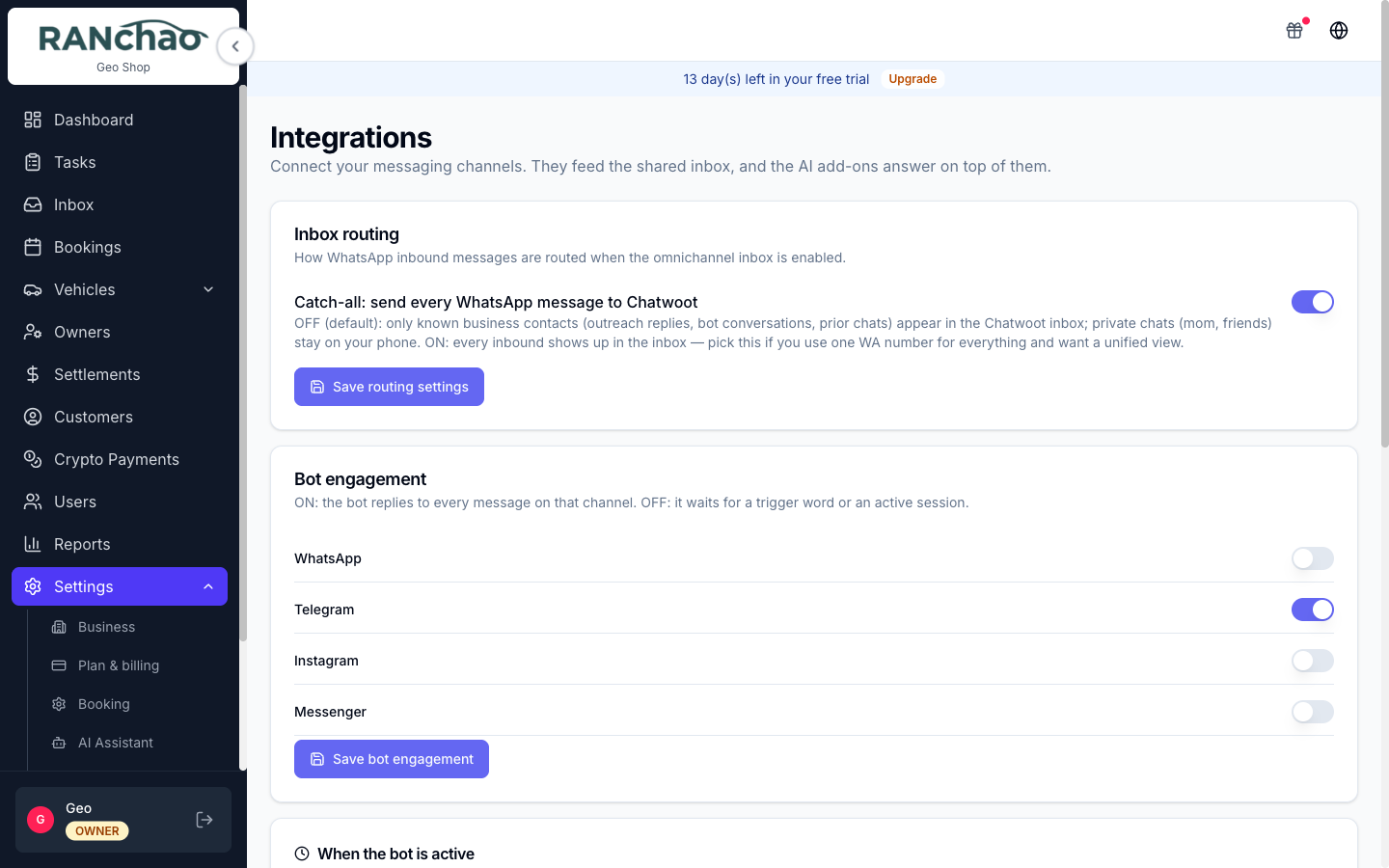
Settings → Integrations. One tab per channel.
| Tab | What you need | Notes |
|---|---|---|
| Telegram | A bot token from @BotFather | Paste the token, press Connect Bot, then Register Webhook with Telegram |
| TG account | A phone number | Links a real Telegram account, not a bot, so your existing chats arrive. Confirm with the code Telegram sends, or scan a QR |
| Your WhatsApp number | Press Connect WhatsApp and pair by scanning the QR with your phone | |
| A mailbox address and password | Type the address and it detects the server settings. Gmail needs an App Password, not your normal one | |
| Facebook & Instagram | A Facebook login | Press Connect Facebook Page, authorise in the popup, pick the page. Instagram must be a Business account linked to a Page |
| Bokun | Bokun credentials | Trips only |
| Viator | Viator credentials | Trips only, paid add-on |
| LINE | nothing yet | Shown in the list but disabled |
Connecting a channel and reading it are two different purchases. Without the inbox add-on you can still connect Telegram or WhatsApp for the bot, but there is no shared inbox to read them in, and the Integrations page shows an amber notice saying exactly that.
Where the AI writes, and how to stop it
The bot answers customer-facing conversations in the inbox. It does not write anywhere else in the app.
The rule that decides whether it answers
A conversation the bot is allowed to handle is in status pending. The moment a conversation is set to open, the bot goes quiet on it and stays quiet.
That is the whole mechanism, and it is how you take over:
- To take over from the bot: open the conversation and set its status to open. The bot will not write in that thread again.
- To hand it back: resolve the conversation when you are done. The next time that customer writes, it comes back as pending and the bot picks it up again.
There is no cron that quietly re-enables the bot behind you. Once a human has taken a conversation, it is the human's until they resolve it.
Business hours for the bot
Settings → Integrations → "When the bot is active". Set a window and a timezone. Leave the schedule off to answer everything manually.
Be clear about what "outside the window" does: the bot stays silent and the chat is left open in the inbox. No automatic reply is sent, nobody is assigned, and nobody is notified. Someone has to be watching.
You can also switch the bot on or off per channel in the Bot engagement card on the same page: WhatsApp, Telegram, Instagram, Messenger.
When the AI fails
If the model errors, the customer gets one apology in their own language, along the lines of "Sorry, something went wrong on my end. I'm connecting you with our team, a colleague will pick this up", and the conversation is flipped to open. In other words a failure always ends with a human owning the chat, never with silence.
Teaching the bot
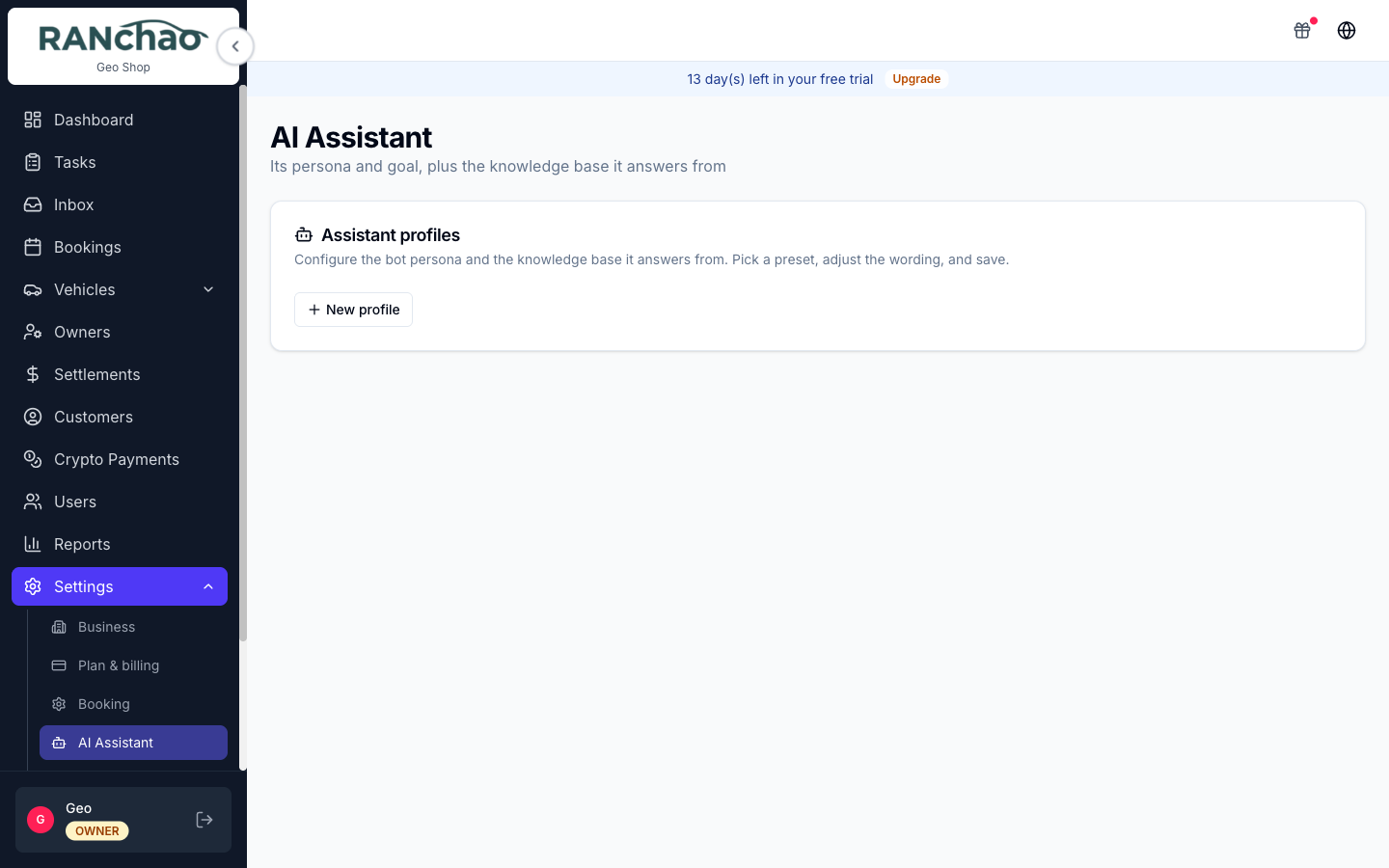
Settings → AI Assistant.
Assistant profiles. A profile is a persona plus a goal. Start from one of nine presets (Retail sales, Catering sales, Restaurant / cafe, Services & appointments, Real estate / rentals, Tours & activities, FAQ answerer, Support / FAQ, or Custom) and edit it.
The fields that matter:
- Persona: plain language describing who the assistant is and how it behaves. It answers only from your knowledge base and will not invent prices.
- Goal: three settings, and this is the one to get right.
- Just answer questions (ANSWER): it answers, nothing more.
- Capture a lead (LEAD): it also collects contact details and what they want.
- Create an order (BOOKING): it can quote and create an order. This one needs the AI booking bot add-on. Without it the bot falls back to capturing the lead instead. A note under the setting tells you so.
- What the bot collects: the fields it should get out of a conversation: date, number of people, destination, venue, dietary needs, budget, pickup point, phone, their questions. Mark the ones that are required.
- Greeting line and Routing description: the opening message, and how this profile is chosen when you have several.
- Enabled: a switch per profile.
Knowledge base. The same page, lower down. This is what the bot is allowed to answer from, and nothing else. Documents are categorised: menu, pricing, conditions, partners, FAQ, other.
A document you write yourself with Add document goes live immediately. Only documents the AI pulls in with Import with AI arrive as drafts, and those you have to press Confirm on before the bot will use them.
Import handles pasted text, photos, PDF and Word files, or your website address. (The hint above the upload box still says PDFs are not supported. It is out of date: they are.)
The practical advice: put your prices and your conditions in here properly. The bot will refuse to guess, which is the behaviour you want, but it means a thin knowledge base produces a bot that constantly says it does not know.
The AI co-pilot: where the commands go
This is the question people ask most, so plainly: the co-pilot is not a panel in this app. There is no command box in the React app, no chat sidebar, no slash-command bar on the booking page.
You type co-pilot commands inside a conversation in the Inbox, in the private note tab, the internal note area your customer cannot see. You are talking to the system while looking at the customer's chat, and it answers you in the same private note thread.
That is why it needs the inbox: there is nowhere else to type the commands.
It is a separate paid add-on (AI co-pilot, ฿890/month, Business plan). Without it, a command answers in the private note telling you which add-on it needs, so you are never left wondering whether you typed it wrong.
The commands
| Type | What you get back |
|---|---|
/summarize | A private note summarising the whole conversation: what they want, dates, party size, pickup, open questions. It will not invent anything that was not said |
/draft | A suggested customer-facing reply, as a private note. Copy it, edit it, send it yourself. Add a hint after the command to steer it, for example /draft offer the Tuesday boat |
/book | Reads the conversation and creates a draft booking, then gives you a link to review and confirm it |
/help | Lists the commands your account can actually run |
Three things about /book worth knowing before you rely on it:
- It only works for trips today.
/book rentaland/book propertyanswer that they are not wired up yet. - It refuses rather than guesses. Without a date and a name it tells you to ask the guest and try again.
- It is not idempotent. Running it twice creates two draft bookings.
Everything the co-pilot writes goes into the private note thread, so a customer never sees a command or its output. The two exceptions are shop commands, which belong to a different, internal feature and are not part of this add-on.
Which AI add-on do I want?
| You want | Buy |
|---|---|
| Answer common questions so nobody has to | Omnichannel inbox + AI Assistant |
| Also take the order and send a payment link | Add AI booking bot |
| Help your staff while they handle a chat | Add AI co-pilot |
The assistant is the answerer. The booking bot is the transaction layer on top of it. The co-pilot faces your team, not your customers. They are three separate purchases and they do three different jobs.